> For the complete documentation index, see [llms.txt](https://docs.hits.ai/docs-ko/llms.txt). Markdown versions of documentation pages are available by appending `.md` to page URLs; this page is available as [Markdown](https://docs.hits.ai/docs-ko/project-feature-ko/bench/covalent-binding.md).
# Covalent Binding 설정
## Covalent Binding
Covalent Binding은 **개별 분자별로 Warhead와 Product form을 직접 설정**하여\
단백질과의 **Covalent 결합 가능성**을 예측하는 기능입니다.
* 특정 분자에 대해
* 특정 Warhead 반응과
* 명확한 결합 형태(Product form)를 가정하고
정밀한 Covalent 결합 예측을 수행할 때 사용합니다.
***
### 1. Covalent 단백질 활성화
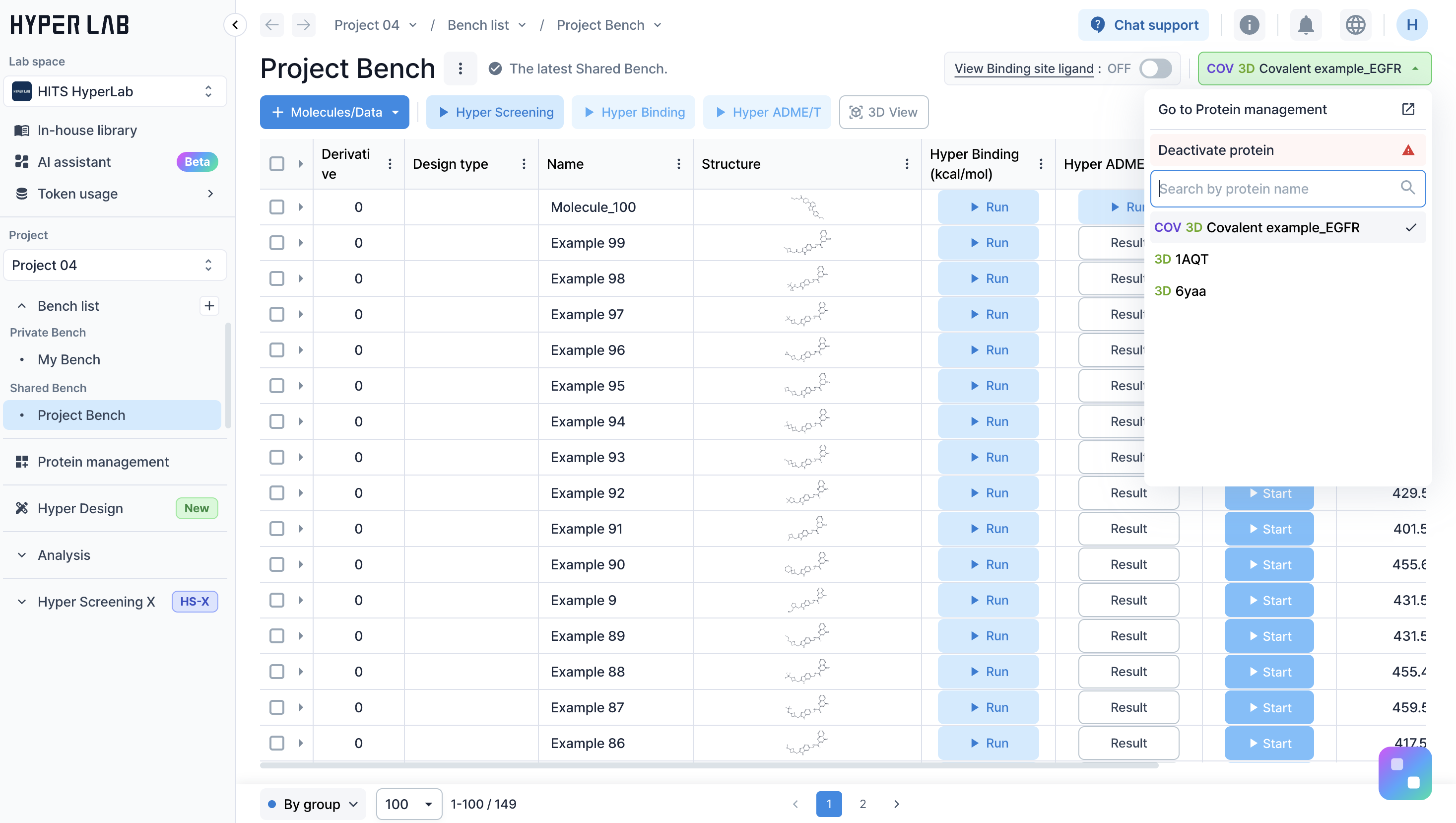
* **Bench**로 이동합니다.
* 실험에 사용할 **Covalent 타입 단백질**을 활성화합니다.
> Covalent Binding은\
> 반드시 Covalent 단백질이 활성화된 상태에서만 실행할 수 있습니다.
***
### 2. 분자 선택 및 Hyper Binding 실행
* Covalent Binding을 수행할 분자의 **Hyper Binding 실행** 버튼을 클릭합니다.
***
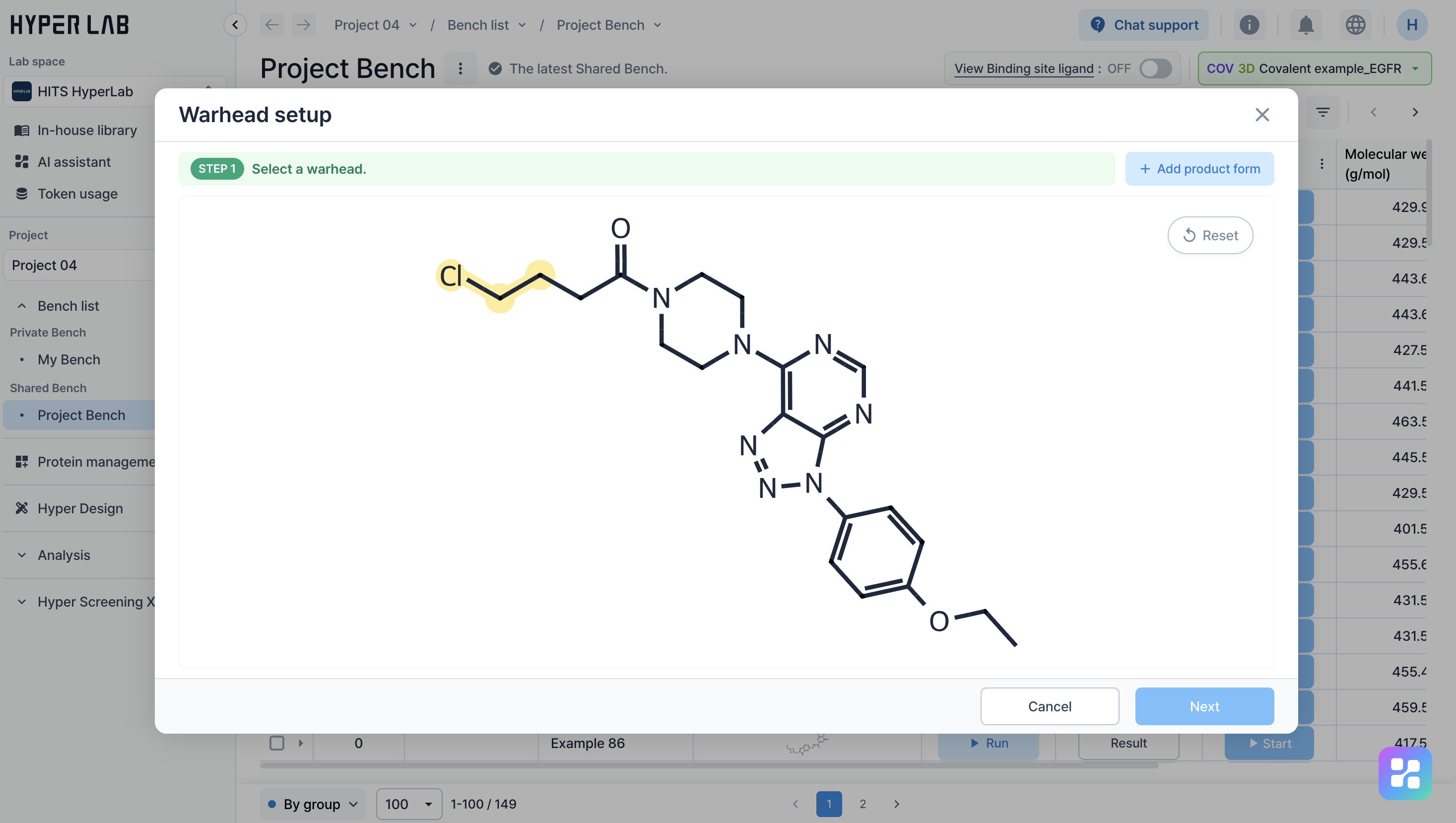
### 3. Warhead 설정
* 설정 창에서 **Warhead로 사용할 분자 구조 영역**을 선택합니다.
* 선택한 Warhead를 기준으로 Product form이 생성됩니다.
***
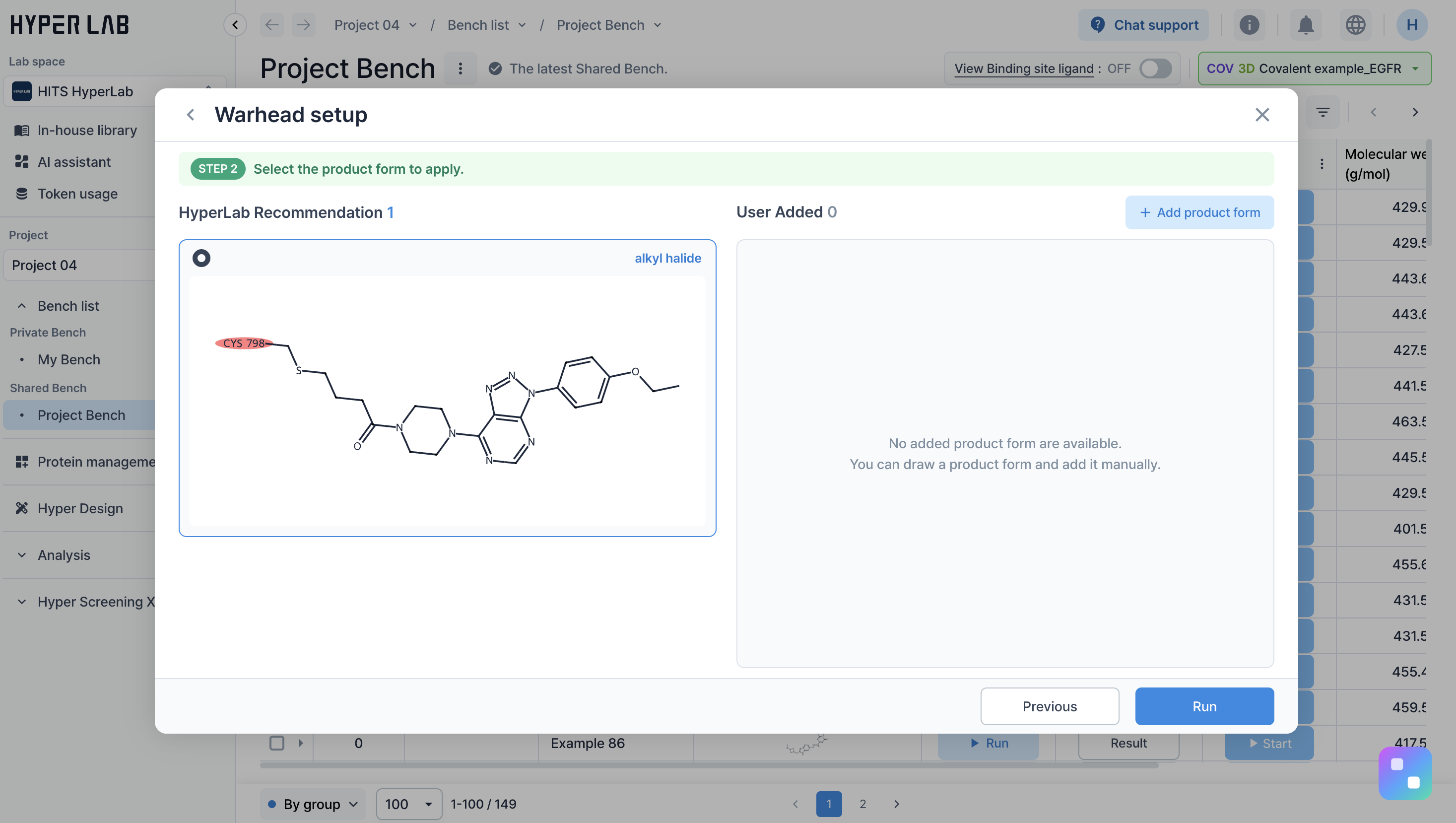
### 4. Product form 선택
* 선택한 Warhead를 기반으로 제공되는 **Product form 목록**을 확인합니다.
* 사용할 **Product form**을 선택합니다.
***
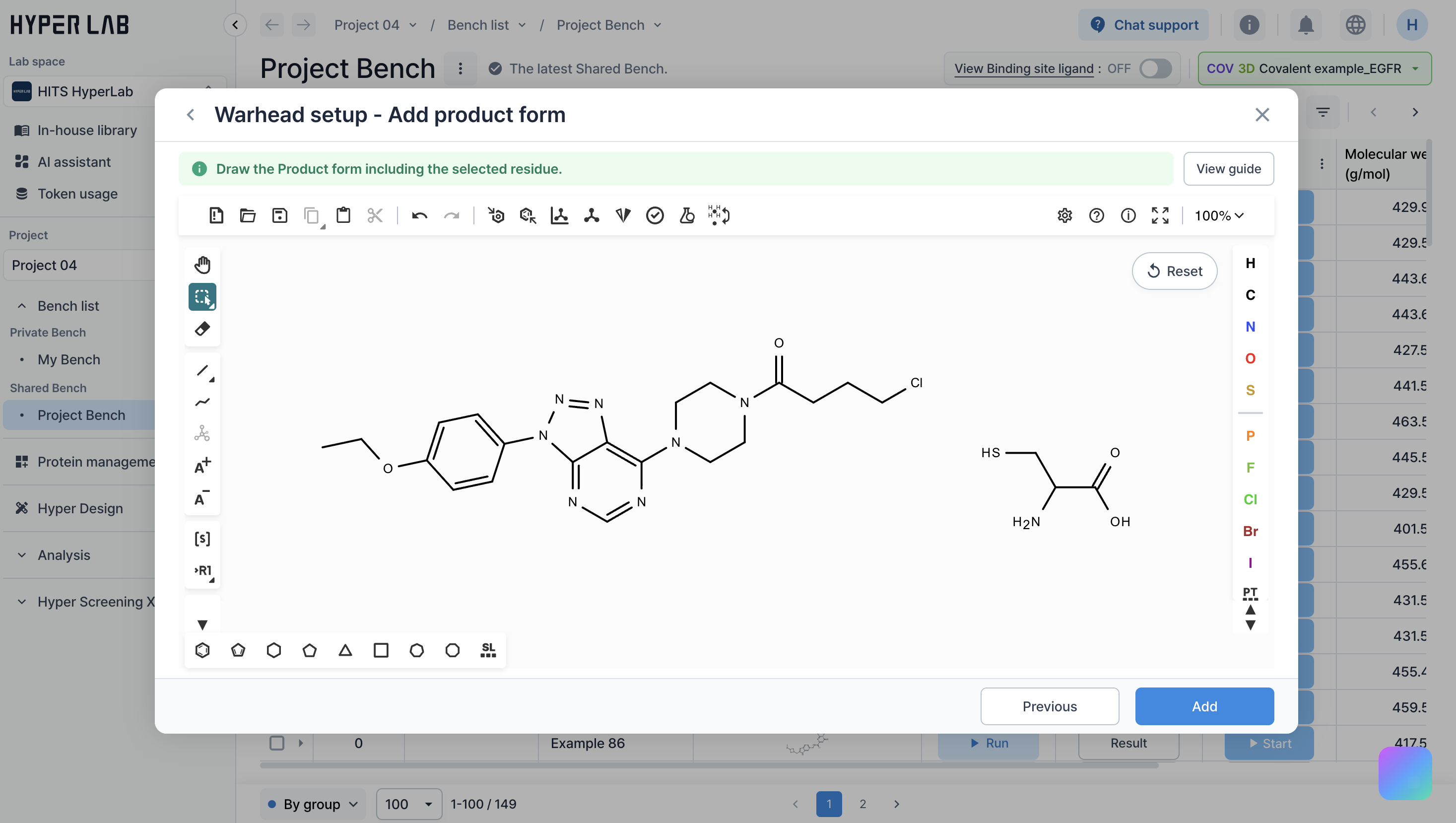
### 5. Product form 직접 추가 (선택)
원하는 Product form이 제공되지 않는 경우,\
**직접 Product form을 정의**할 수 있습니다.
#### Product form 직접 추가 방법
* **Product form 추가** 버튼을 클릭합니다.
* 설정 화면에서 다음 정보를 확인합니다.
* Target **Residue**
* 분자 구조
* **Residue와 분자구조를 연결**하여 Product form을 직접 그립니다.
* Product form 설정이 완료되면 **추가** 버튼을 클릭합니다.
***
### 6. Product form 최종 선택
* 제공된 Product form 또는\
직접 추가한 Product form 중 **하나를 선택**합니다.
선택한 Product form을 기준으로 Covalent Binding 계산이 수행됩니다.
***
### 7. Binding 계산 결과 확인
* Binding 계산이 완료되면 **Binding score**를 확인할 수 있습니다.
* 설정한 Warhead와 Product form을 기반으로\
Covalent 결합 가능성이 수치로 제공됩니다.
***
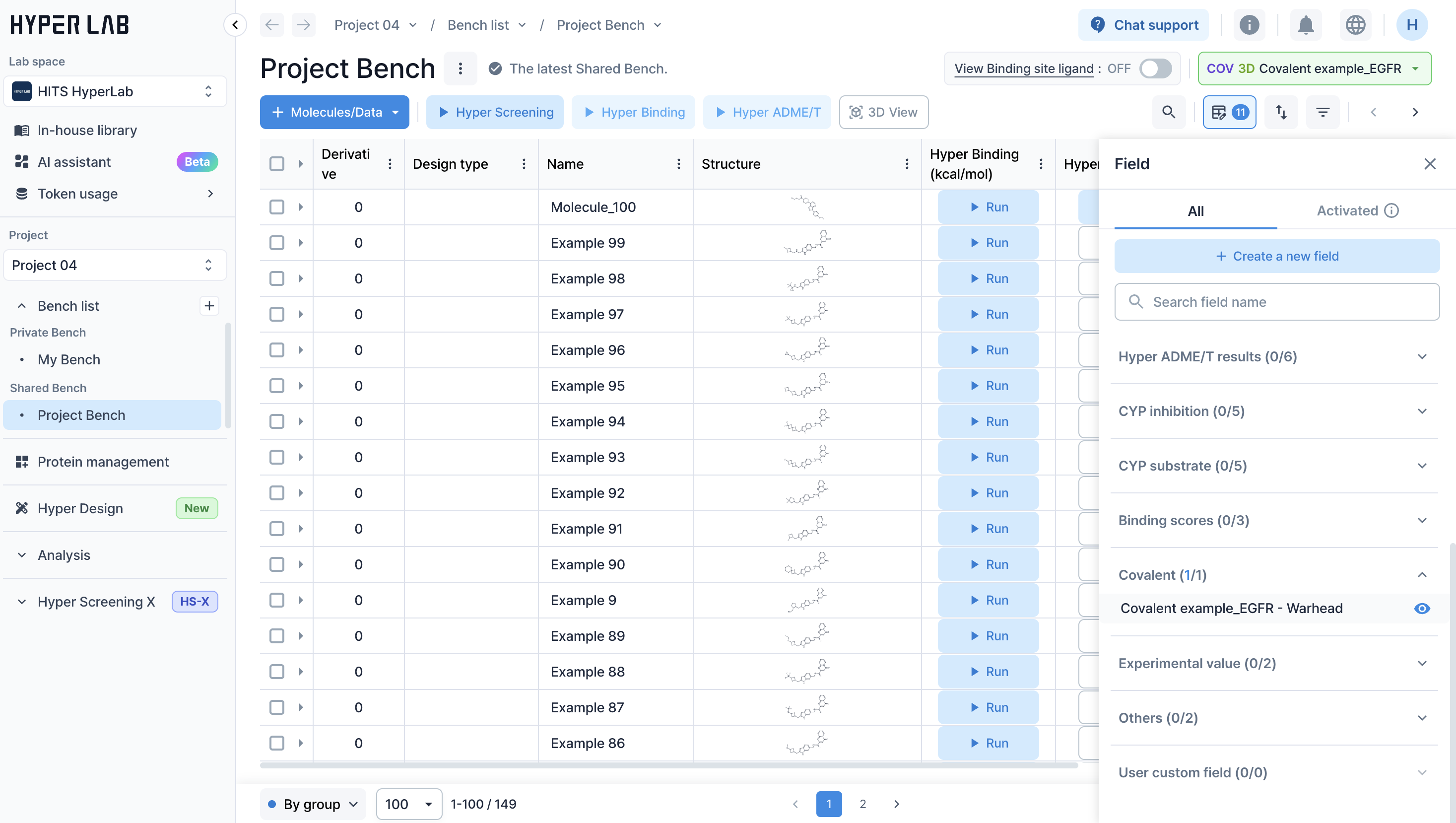
### 8. Warhead 정보 확인
* 적용된 Warhead는 **Bench 필드**에서 확인할 수 있습니다.
* `필드 추가 > Covalent > Warhead` 필드를 활성화합니다.
* 각 분자에 적용된 **Warhead 정보**가 테이블에 표시됩니다.